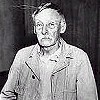
A few people of late have been asking to change their mugshots.
(Don't know what your Mugshot is? - Click on PROFILE in the top right of the page to see yours. Click on any members name to see theirs)
I have found some pictures that you guys can use for alternate mugshot pictures as well as using in your signatures.
If you don't want to change your mugshot picture... move along.
If you do want to change your mugshot picture... read on.
Changing your Mugshot Picture: 1. Select the image that you would like as your mugshot picture 2. Copy the code for that picture (included below) 3. Click on PROFILE in the top right of the screen 4. Type in your PASSWORD 5. Paste the code in the PICTURE URL section of your profile 6. Click SUBMIT at the bottom of the page.
Adding one of these pictures to your signature file: 1. Select the image that you would like to include in your signature 2. Copy the code for that picture (included below) 3. Click on PROFILE in the top right of the screen 4. Type in your PASSWORD 5. Paste the code in the SIGNATURE section of your profile 6. Include the image tag required at the front of the code ie: [ img ] (NO SPACES) 7. Include the image tag required at the end of the code ie: [ /img ] (NO SPACES) 7A. If you would like to include text, do so at the end of the last image code 8. Click on PREVIEW to check your changes 9. Click on SUBMIT at the bottom of the page


 Alternate Mugshots / Signatures




 Posted - 26 May 2004 : 02:49:56 AM